Know exactly how far you are from freedom.
Your brokerage, RSUs, cash and property become one number. Then FreedomPoint shows the capital you need, the date you can reach it and the plan to get there.
Coming soon to the App StoreNo account. No ads. No tracking.
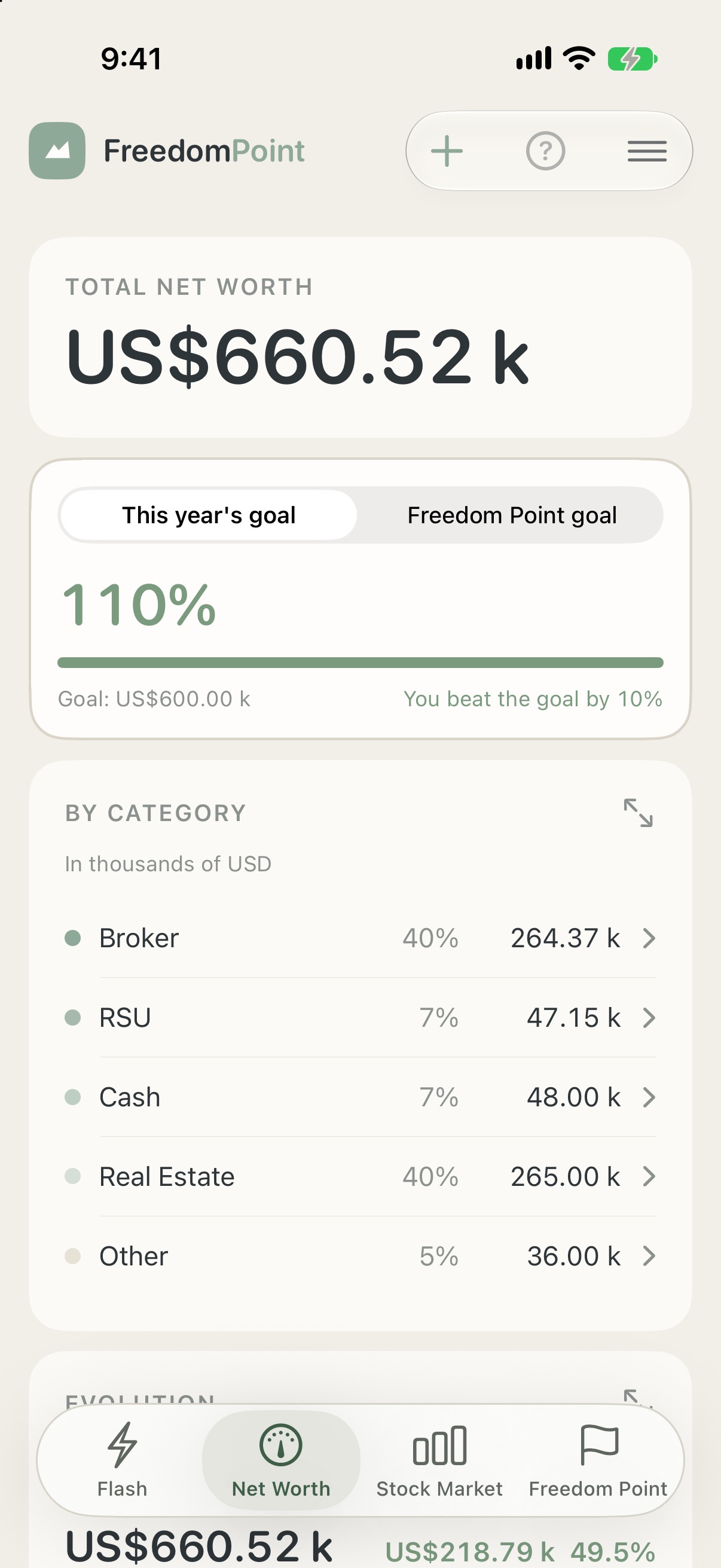
Everything you own, in one number.
Brokerage, RSUs, cash, real estate and everything else, added up in the currency you choose and tracked over time. Tap a category to see what is inside it.
- Holdings in other currencies are converted for you
- Bring your data in from Excel, or type it in by hand
- A chart of how your net worth has moved, so the trend is as visible as the total
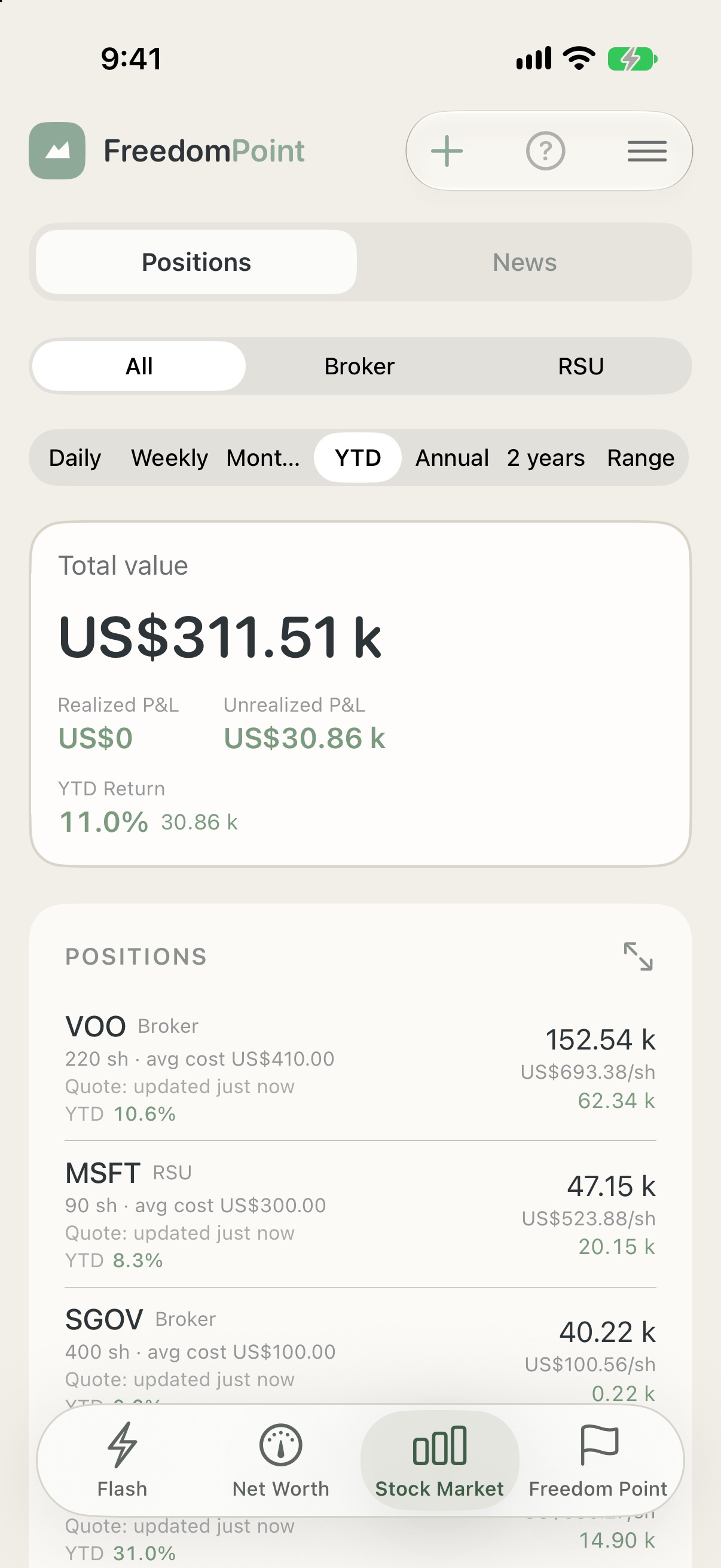
Your positions, live.
Quotes for everything you hold in your brokerage and RSU accounts, with realized and unrealized gains, returns by period and the vesting date of every RSU lot.
- Gains and losses by position and in total, for the period you pick
- Year to date, month to date or any other window
- Optional AI summaries of the news and fundamentals behind each ticker
Your date. Your number.
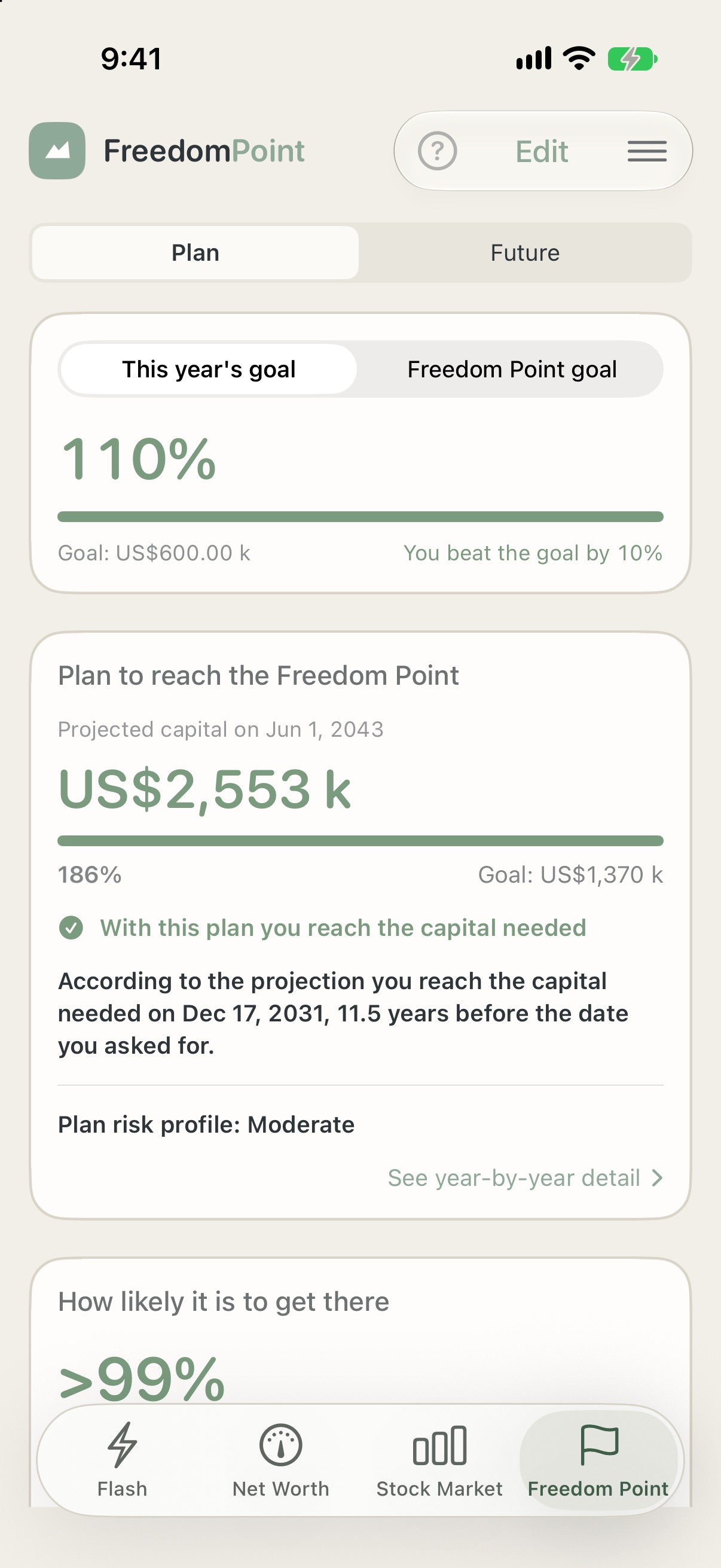
Say how much yearly income you want, when, and for how long. FreedomPoint works out the capital that takes, and builds a year-by-year savings and investment plan around your risk profile.
- Capital needed, and how much of it you already have
- A plan that follows the risk profile you choose, with concrete funds to put money into
- See how far your real portfolio drifts from the plan
Where you stand, in a glance.
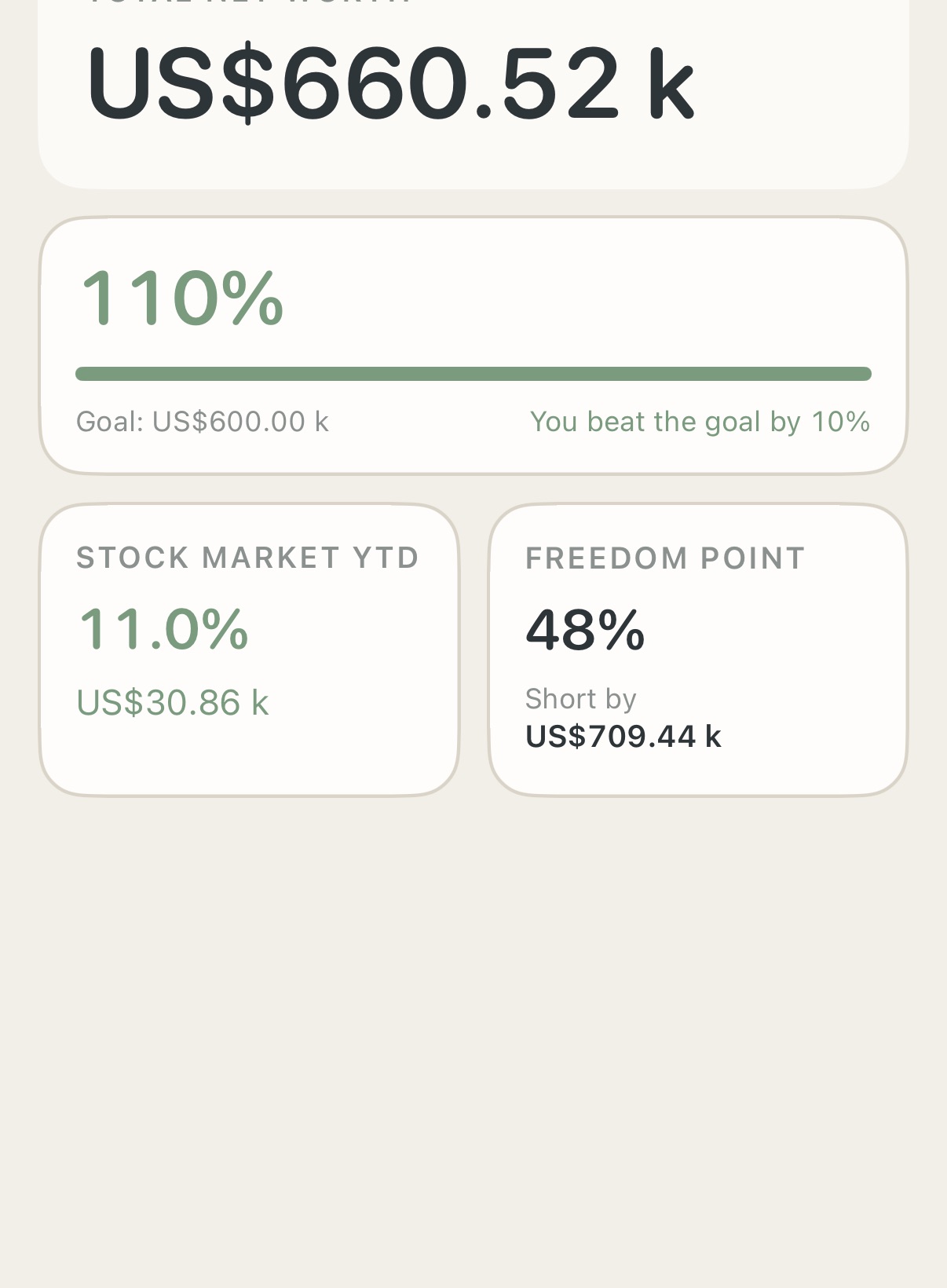
Open the app on Flash: your net worth, this year's goal, the stock market year to date and how short you are of your Freedom Point. One screen, no digging.
- Your yearly goal, with how far ahead or behind you are
- Stock Market year to date, straight from your own positions
- Light and dark, in English and Spanish
The rest of the toolbox.
Everything is built around one question: are you on track, and what should you do next?
Rebalance
Set the mix you want across categories and see exactly how much to buy or sell to get back to it.
Risk profile
A short questionnaire sets a Conservative, Moderate or Aggressive profile that shapes your plan.
Stock analysis
Fundamentals, analyst consensus and news per ticker, written by the AI provider you choose.
Share with your partner
Share one portfolio between your devices, or with a person you invite, through iCloud.
Built to answer one question.
FreedomPoint is made by an independent developer who wanted one honest answer to “how far am I from financial freedom?” without handing account credentials to anyone.
That is why there is no bank login: you bring in your own numbers, and they stay on your devices and in your own iCloud.
Your ideas shape it. Tell us what you wish your plan could do, and the next update might be yours.
Send us a suggestionsupport@freedompoint.app
Questions people ask.
Do I need an account?
No. FreedomPoint has no accounts and no server of its own. Open it and start. Your data lives on your iPhone and, if you have iCloud turned on, in your own private iCloud so your devices stay in sync.
Does it connect to my bank or broker?
No, and it never asks for your credentials. You enter your holdings by hand or import them from an Excel file, so you stay in control of what the app knows.
Can you see my financial data?
No. Your portfolio is stored in your private iCloud database, which the developer has no access to. There is no analytics and no tracking in the app. The privacy policy lists every case where anything leaves your device.
Where do the quotes come from?
From Yahoo Finance. The app sends the ticker symbols (and currency pairs for conversion) to fetch prices. Prices can be delayed or unavailable, so treat them as informative, not as a trading feed.
What do the AI features do, and what do they cost?
AI suggestions, news summaries and stock analysis are optional. You choose Anthropic (Claude) or Google Gemini and add your own API key, which stays in your device's Keychain. Usage is billed by that provider, not by us. The privacy policy explains exactly what each feature sends.
Is this financial advice?
No. FreedomPoint is a tracking and planning tool. Projections are estimates built on the assumptions you set, and the plan and AI suggestions are not investment, tax or legal advice. Past returns do not guarantee future ones.
Which languages and currencies are supported?
The app is in English and Spanish, independent of your phone’s language. You pick the currency your net worth is shown in, and holdings in other currencies are converted.